


Media features vary by provider and player. Navet shows the controls supported by your connected provider and selected player.
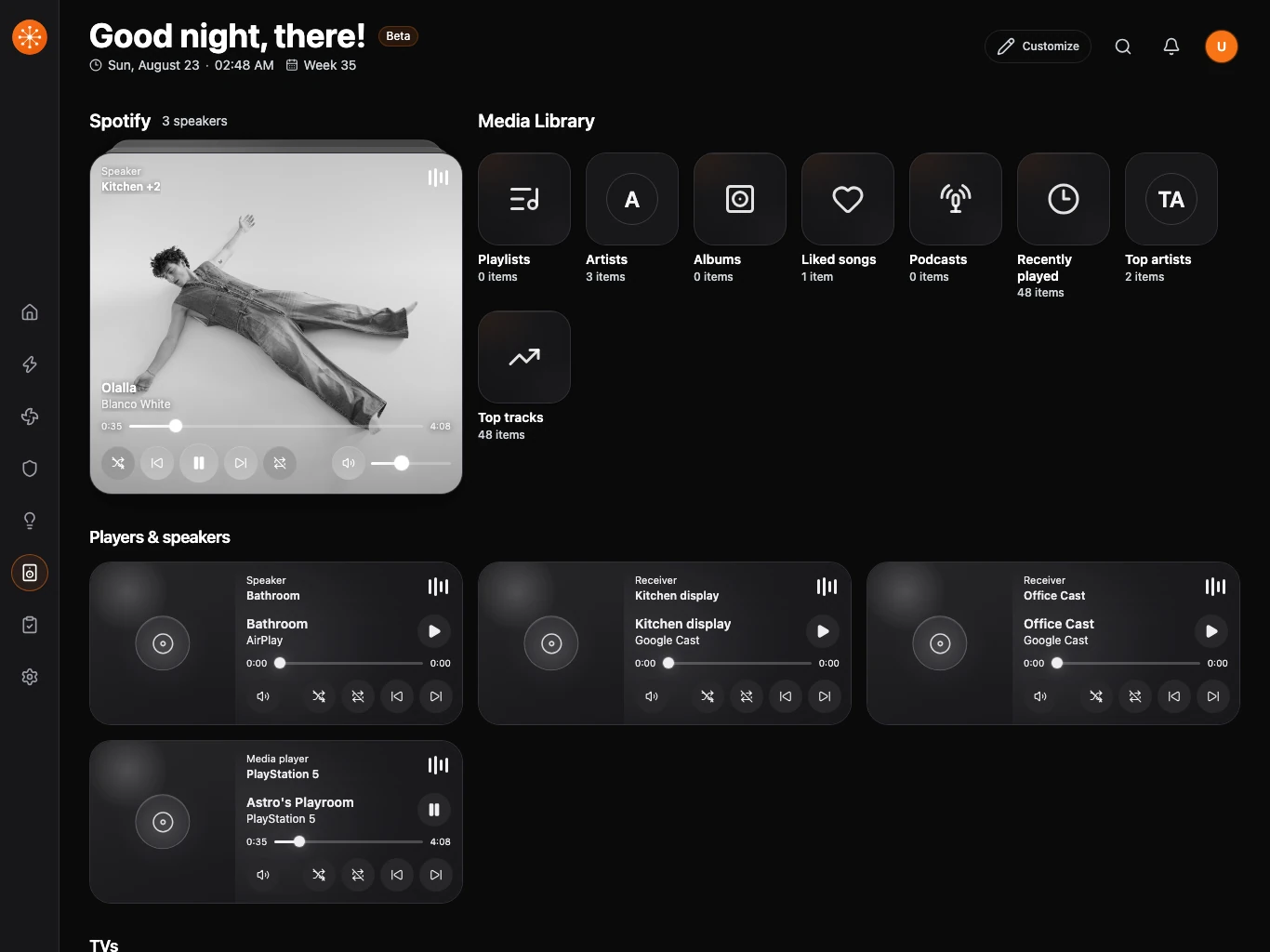
Choose a destination
Open Devices or the destination control and select the speaker or player that should receive the action.
Browse and play
- Open Media Library or the available browse surface.
- Choose a source or media category.
- Search when the provider supports it.
- Choose an item to play it on the selected destination.
Manage playback
Now-playing controls can include play, pause, next, previous, seek, repeat, shuffle, and volume. The large now-playing card leads when a session is active; while idle, browsing leads so starting something new takes fewer steps.
Group speakers
Choose a primary session or destination, then add compatible speakers. Grouping support and group ownership come from the provider.
Show several players in one card
Open Media, select Customize, then open a media card’s settings. Select Media Stack and use Add beside each player you want to include. You can combine a TV, console, receiver, and speakers in the same stack. Drag the handles beside selected players to set their priority, and use Remove to take a player out of the stack.
The stack occupies one normal card position in the Media grid. Swipe up or down on the card to bring another player forward. The dots beside the card show which player is in front. With a keyboard, focus the stack and use the up and down arrow keys. Navet initially shows a playing player first, then a paused or powered-on player; the order you set resolves ties. When every selected player is inactive, Navet shows a compact fallback. Use the stack’s edit controls to change its players or size. This display choice does not join the players for synchronized playback.
Use TV controls
Supported media devices can expose source selection, volume, channel controls, and a navigation pad. Hide the navigation pad when it is not useful for that player.
If artwork or browsing fails
Authenticated artwork and browse URLs may need Navet’s resource proxy. Reload once, confirm the provider connection, and check the capability matrix before treating the player as unsupported.