


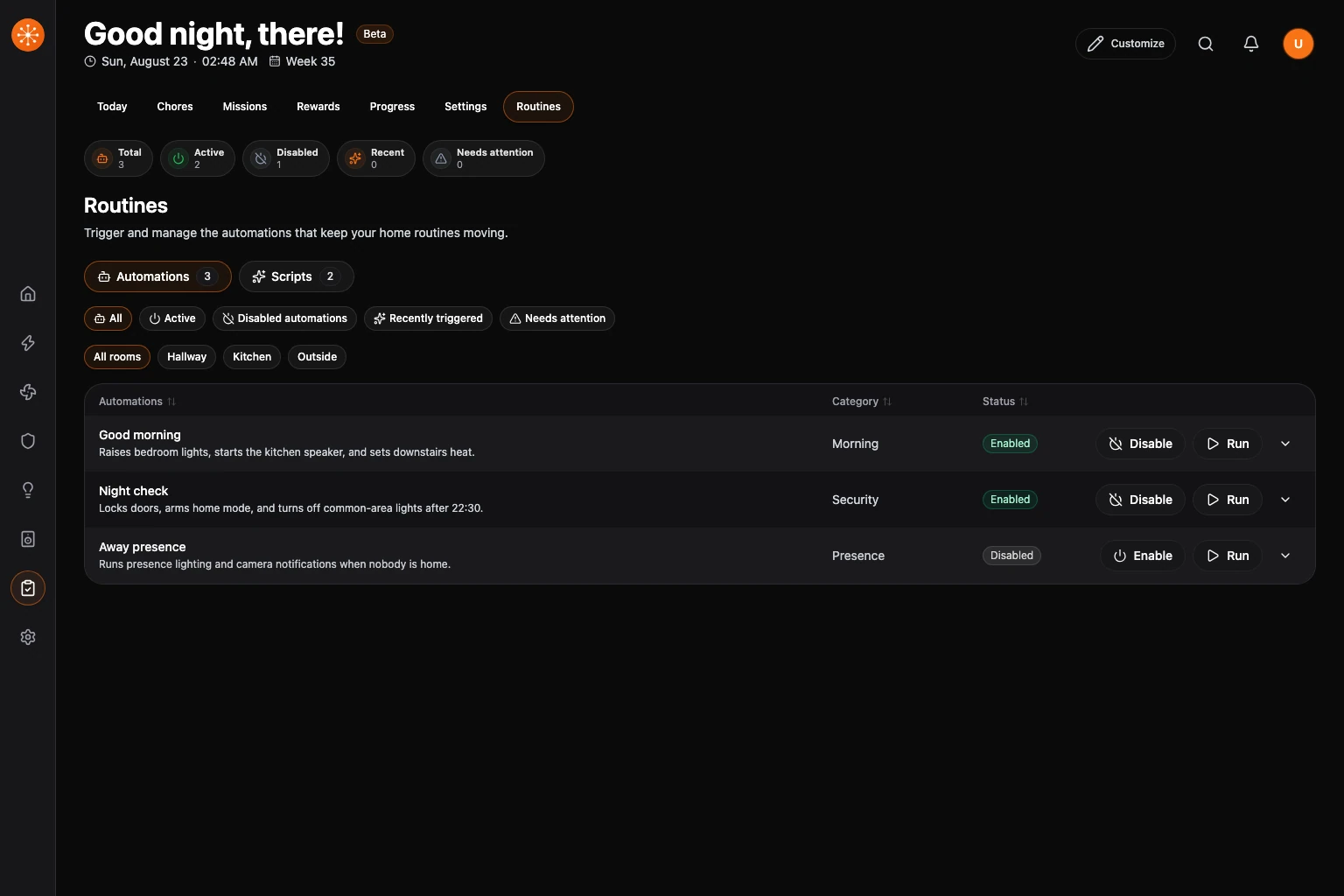
Open Household, then choose Routines. This view separates automations and scripts while keeping configuration details read-only in Navet.
Find a routine
The summary shows total, active, disabled, recent, and needs-attention counts. When a provider error or routine state needs review, an attention band appears before the summary and opens the attention-filtered automation list.
Use the filters to focus on:
- Needs attention.
- Recent activity.
- A category or room.
- Automations or scripts.
Run or change an automation
- Choose Run to trigger it once.
- Choose Enable or Disable to change whether it can run automatically.
- Wait for the provider result before repeating the action.
Read details
Choose View to open:
- When for triggers.
- If for conditions.
- Then for actions.
- Dependencies and recent state.
- Diagnostics such as provider ID, room, mode, and current runs.
Navet presents these details for understanding and recovery. Edit the underlying automation in the provider when changes are required.
If a routine needs attention
Unavailable, unknown, or error state comes from the provider. Open the details, check dependencies, and confirm the automation in the provider before retrying.