


Energy requires compatible energy and history services. Home Assistant is currently the reference provider for the complete dashboard.
Make sources available
Configure the Energy sources in Home Assistant first, then open Energy in Navet. Navet reads the configured sources and their live or historical statistics. If no compatible configuration is available, Energy shows a setup state instead of an empty chart.
Read the dashboard
- The KPI strip summarizes live energy, grid import, solar production, battery, and cost when those readings are available.
- Day, Week, Month, Year, and Custom set the history range.
- Day uses five-minute history intervals for today’s detailed view when the provider supplies them.
- Devices, Rooms, and Sources change how usage is grouped.
- Live and the period comparison show current demand beside accumulated energy.
- Selecting a chart period opens its energy-used total and highest consumer details.
- Untracked represents load that is not assigned to a tracked device.
- Source and sensor warnings remain visible when provider data is incomplete.
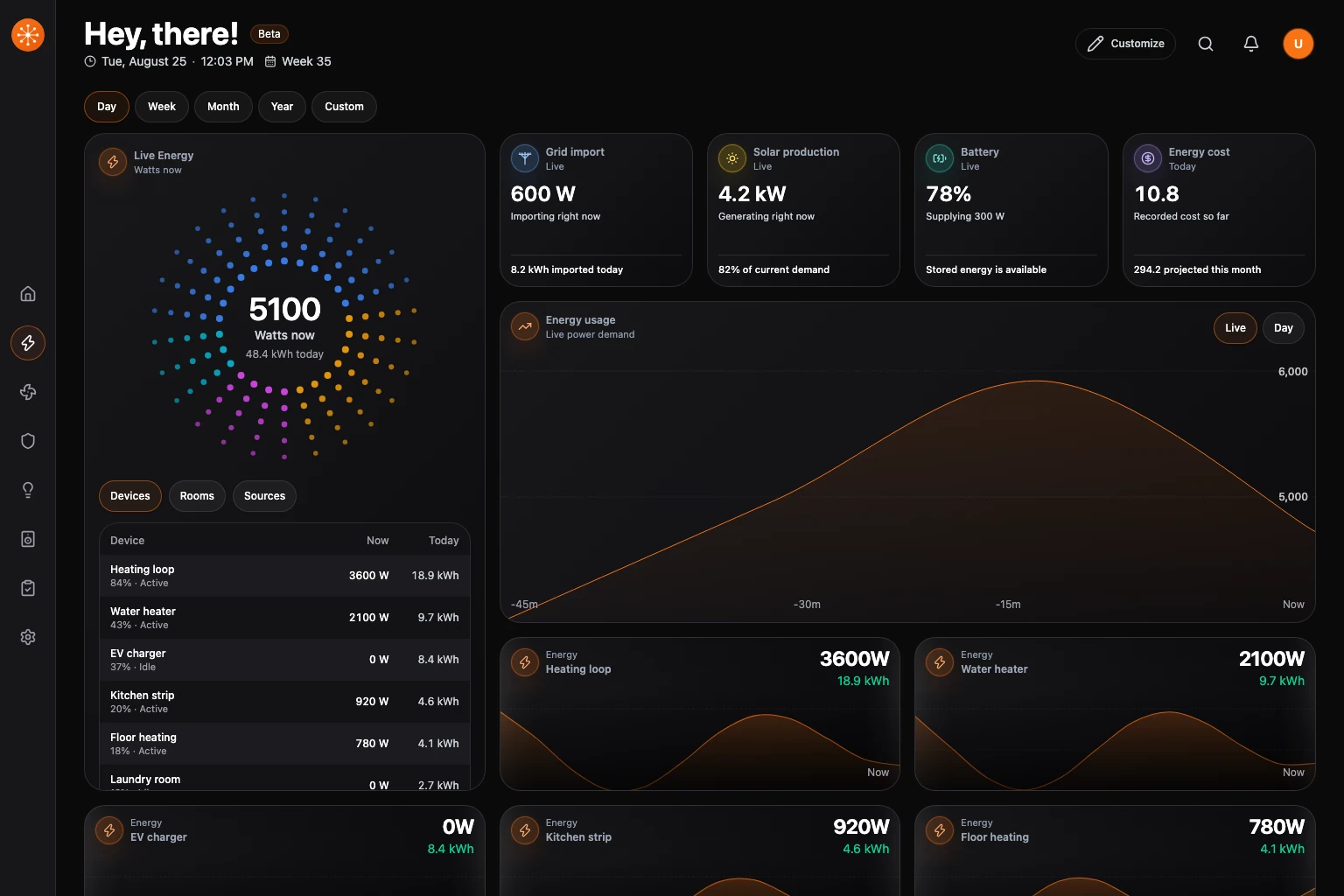
Customize Energy
Choose Customize while Energy is open to arrange the usage chart, metric cards, and device cards. Use a metric card’s edit button to choose a replacement from Energy KPIs.
Choose Hide KPIs to hide the summary metrics, or Show KPIs to restore your selected metrics. The usage chart stays visible. Choose Done when you finish arranging the dashboard.
Manage source selection
Source selection originates in Home Assistant Energy. Change it there when a source is missing, duplicated, or mapped to the wrong sensor, then reopen Energy in Navet.
If source discovery is incomplete
Follow Configure Home Assistant Energy sources.
Provider availability
Homey and openHAB can contribute live power and energy device readings when their devices expose them. The detailed statistics history dashboard requires Home Assistant’s Energy and history services. If only Homey or openHAB is connected, an unavailable detailed view reflects that capability difference.